The Era of Spatial Streaming: Apple Vision Pro Finally Secures Native YouTube Support
In the evolving landscape of spatial computing, few moments have been as anticipated—or as heavily debated—as the integration of the world’s largest video repository with Apple’s premier hardware. Today marks a definitive turning point for the ecosystem. After two years of workarounds, third-party clients, and browser-based viewing, Google has officially launched the native YouTube application for the Apple Vision Pro.
This development is not merely a software update; it is a significant ratification of the visionOS platform by the tech industry’s most influential media giant. For early adopters and content creators who have navigated the friction of the “app gap” since the headset’s debut, the arrival of a fully optimized YouTube experience represents the final piece of the media consumption puzzle. This guide explores the technical architecture of the new app, its impact on the spatial computing market, and why this release signals a mature phase for augmented and virtual reality content.
The End of the "App Gap": Contextualizing the Delay
To understand the magnitude of today’s launch, one must analyze the historical friction between major streaming platforms and new hardware ecosystems. When the Apple Vision Pro launched, YouTube, along with Netflix and Spotify, famously opted out of creating native applications. Users were relegated to Safari—a functional but sub-optimal experience that lacked immersive environments, offline capabilities, and proper 3D spatialization.
This strategic hesitation from Google was likely rooted in a wait-and-see approach regarding user adoption rates and the resource allocation required to build a bespoke visionOS interface. Furthermore, the existence of "Juno," a popular third-party client developed by Christian Selig, filled the void admirably, proving the intense user demand for a dedicated interface. However, native support unlocks API access that third-party developers simply cannot leverage. The new official app integrates directly with the Apple Vision Pro’s R1 chip for latency-free gesture control and leverages the Micro-OLED displays to their full dynamic range potential.
Deconstructing the Native Experience: UI and UX Breakthroughs
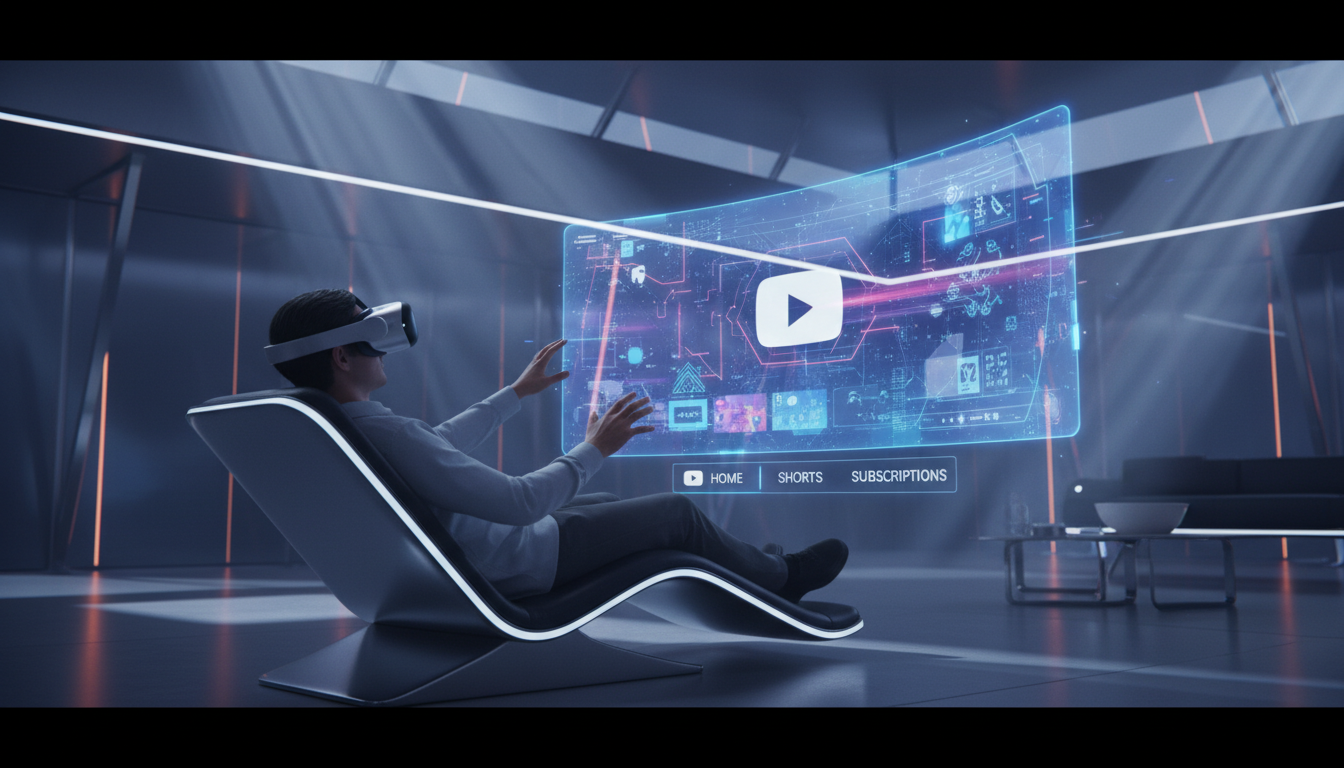
The native YouTube app for Apple Vision Pro is not a mere port of the iPadOS version. It has been rebuilt from the ground up using Apple’s spatial design language, offering a level of immersion that redefines personal cinema.
Spatial Navigation and Eye Tracking
The core interaction model of visionOS—look and pinch—has been deeply integrated into the YouTube interface. Google’s engineers have refined the hit-box sizing for video thumbnails to accommodate eye-tracking variances perfectly. Navigation involves a sidebar that floats in depth layers, separating content categories from the playback window. Scrubbing through timelines, previously a chore in the browser version due to small touch targets, now utilizes a predictive gaze system where looking at the timeline expands it, allowing for precise minute-by-minute control.
Immersive Environments and Lighting
A critical feature absent from the web version is the "Cinema Mode." The native app detects the lighting conditions of the user’s physical room and matches the virtual screen’s glow (ambient light spilling) onto the passthrough environment or the virtual backdrop. Whether sitting in the Mount Hood environment or a physical living room, the YouTube player anchors firmly in 3D space, respecting occlusion from physical objects. This grounding makes the screen feel like a physical artifact rather than a digital overlay.
Technical Deep Dive: Codecs, Resolution, and VR180
The true power of the Apple Vision Pro lies in its visual fidelity, and the native YouTube app finally delivers content that matches the hardware’s capabilities. The app introduces support for high-bitrate streaming that utilizes the device’s immense processing headroom.
The Return of Stereoscopic 3D
Perhaps the most significant addition is full support for VR180 and 360-degree video formats. In the browser, these videos appeared flat or required awkward manipulation. The native app automatically detects spatial metadata. When a user selects a VR180 video, the interface dissolves, placing the viewer inside the content. This is powered by the MV-HEVC codec (Multiview High Efficiency Video Coding), which Apple championed for spatial video. Google’s adoption of this format for the visionOS app ensures that 3D content from creators looks crisp, with correct depth disparity that minimizes vergence-accommodation conflict (VAC), a common cause of motion sickness in lesser headsets.
4K and 8K HDR Integration
The Apple Vision Pro’s dual 4K displays demand high-resolution source material. The native app supports 8K streaming (downsampled to the display’s native resolution) to ensure maximum clarity. Furthermore, High Dynamic Range (HDR) support is fully unlocked. The Micro-OLED panels can now display the true blacks and peak brightness intended by creators, using YouTube’s color profiles to map Rec. 2020 color spaces accurately. This is a massive leap over the web browser, which often compressed dynamic range due to WebKit limitations.
The Creator Economy: A New Frontier for Spatial Content
The release of this app acts as a green light for the creator economy to pivot toward spatial production. Until now, uploading spatial video to YouTube was possible, but viewing it on the intended hardware was frictionless only for Meta Quest users. With the Apple Vision Pro app, high-end production houses and independent vloggers have a direct conduit to the premium headset market.
We anticipate a surge in “Spatial Vlogging,” where creators utilize the Apple Vision Pro’s own cameras or the iPhone 17 Pro’s spatial capture capabilities to upload immersive diaries. The native app supports seamless uploading and management of these spatial assets, effectively turning the consumption device into a part of the production workflow. This circular ecosystem—capture on Apple, upload to Google, consume on Apple—strengthens the utility of the headset significantly.
Competitive Analysis: Apple Vision Pro vs. Meta Quest
The YouTube VR app has long been a staple on the Meta Quest platform. However, the visionOS iteration offers distinct advantages primarily driven by hardware superiority and software integration.
- Passthrough Quality: Watching YouTube while doing chores or working is viable on AVP due to industry-leading passthrough. The YouTube app allows for a “Mini Player” mode that follows the user, anchoring to a specific depth relative to the head, which is far more stable than the Quest’s implementation.
- Text Legibility: Educational content and coding tutorials on YouTube benefit massively from the AVP’s resolution. Text in the native app is rendered with sub-pixel precision, making it readable even when the virtual screen is placed at a simulated distance of 10 feet.
- Ecosystem Handoff: Users can start watching a video on their iPhone and, with a glance at the Vision Pro, hand off the playback instantly to the headset’s native app. This continuity features leverages Handoff, something the Meta ecosystem lacks with iOS devices.
The Strategic Pivot: Why Google Joined the Party
Why did Google wait until 2026? The initial skepticism was likely financial. Developing for visionOS requires resources, and with a smaller install base compared to iPhones, the ROI was initially unclear. However, as the spatial computing market has matured and Apple’s headset sales have stabilized with lower-cost iterations rumored, Google could no longer afford to cede the premium spatial video market to competitors or Apple’s own TV+ service.
Furthermore, advertising revenue on spatial platforms is a burgeoning frontier. The native app allows Google to experiment with 3D immersive advertisements and interactive brand experiences that were impossible to deliver via a Safari container. This move signifies that Google views spatial computing not as a niche, but as the inevitable successor to mobile computing.
Future Outlook: The Roadmap for visionOS 3 and Beyond
With the foundation laid, the future of YouTube on Apple Vision Pro looks robust. We expect future updates to include “Co-Watching” via SharePlay, allowing users to sit in virtual theaters with FaceTime avatars of their friends. Additionally, integration with Google’s Gemini AI could offer real-time translation and summarization of videos projected as floating text within the spatial environment.
This launch also sets a precedent for other Google services. With YouTube now native, expectations are high for native Gmail, Docs, and Drive applications that leverage the infinite canvas of visionOS. The wall between the Google and Apple ecosystems is becoming permeable in the spatial realm, benefiting the end-user above all.
Conclusion
The arrival of the native YouTube app on Apple Vision Pro is a milestone that transforms the device from a productivity-focused tool into the ultimate media consumption machine. By combining the world’s largest video library with the world’s most advanced display technology, Google and Apple have unlocked a new standard for digital entertainment. For owners of the headset, the viewing experience they were promised has finally arrived, complete with the depth, clarity, and immersion that defines the future of computing.
Frequently Asked Questions
Does the new YouTube app support 3D and VR180 videos?
Yes, the native application fully supports stereoscopic 3D, VR180, and 360-degree videos. It utilizes the device’s MV-HEVC decoding capabilities to render depth correctly, allowing users to be immersed inside the content rather than just watching it on a flat virtual screen.
Can I download videos for offline viewing on the Vision Pro?
Yes, YouTube Premium subscribers can download videos directly to the Apple Vision Pro’s internal storage for offline viewing. This is a significant upgrade over the browser version, making the headset a viable entertainment device for flights and travel without relying on Wi-Fi.
How does the control scheme work without a physical controller?
The app is optimized for visionOS’s gaze-and-pinch interaction model. Users look at elements to highlight them and pinch their fingers to select. The interface also supports voice search and virtual keyboard input, along with intuitive gestures for scrubbing through timelines and adjusting volume.
Is the video quality better than watching via Safari?
Absolutely. The native app supports higher bitrates, proper HDR (High Dynamic Range) mapping for the Micro-OLED displays, and 8K resolution downsampling. It also eliminates the UI clutter of the browser, providing a cleaner, more cinematic viewing experience with proper spatial audio.
Does the app support Apple’s SharePlay features?
While the initial launch focuses on the core playback experience, Google has indicated that social viewing features are on the roadmap. Currently, users can share links seamlessly via iMessage, but synchronous co-watching inside a shared virtual environment is expected in a future update.